
What does a round look like?
Everything on this page comes from the official Steam screenshots. Each round starts on a shop screen, with the round name at the top (the screenshots show “Round9”).
- Cards along the bottom. Each has a gold cost, a name, a short effect and a tag.
- A red GO button on the right, which starts the fight.
- Upgrade and Refresh buttons beside a “Base Level” label that reads Max in some screenshots.
- Your commander in the bottom-left corner, next to the resource counters.
- Troop areas in the middle, each with a counter such as 4/7 or 1/5.
We have not played the game, so we do not explain what the counters, the Base Level or the buttons do beyond what is on screen. The what is All Army Attack page has the store overview.
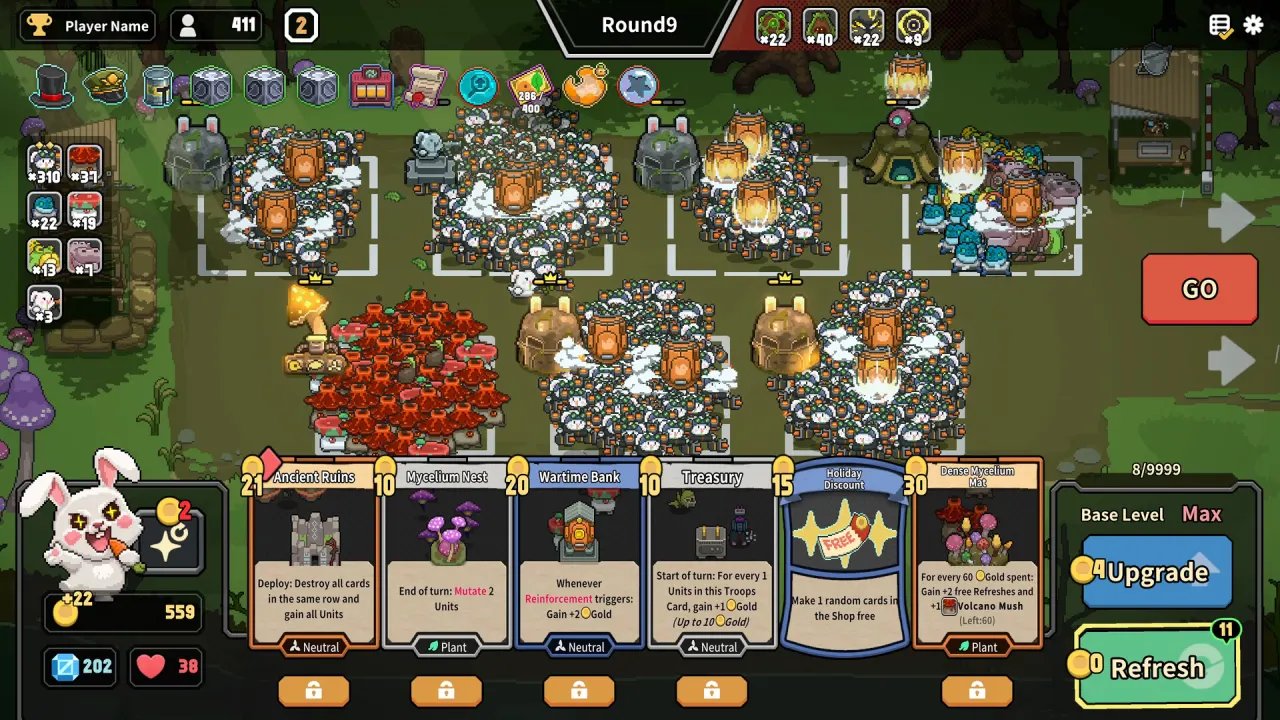
Screenshot: © Blacklight Games / Devolver Digital, via the official Steam page.
What do the shop cards show?
Each card has a gold cost in its top corner and a tag at the bottom. The tags seen are Neutral, Plant and Animal. Card effects shown in the screenshots include:
- Mycelium Nest (10 gold, Plant): “End of turn: Mutate 2 Units”
- Wartime Bank (20 gold, Neutral): “Whenever Reinforcement triggers: Gain +2 Gold”
- Holiday Discount (15 gold): “Make 1 random cards in the Shop free”
- Combo Crane (20 gold, Neutral): “Deploy: +3 Shop XP, +1 Free Refresh”
- Military Training (20 gold): “A random Troop gains Reinforce, triggers 3 times”
A padlock button sits under each card. We do not know exactly what it does.
We do not rank cards or tags. One screenshot is not enough to judge power. For a commander’s own screen, see the Warcluck page.
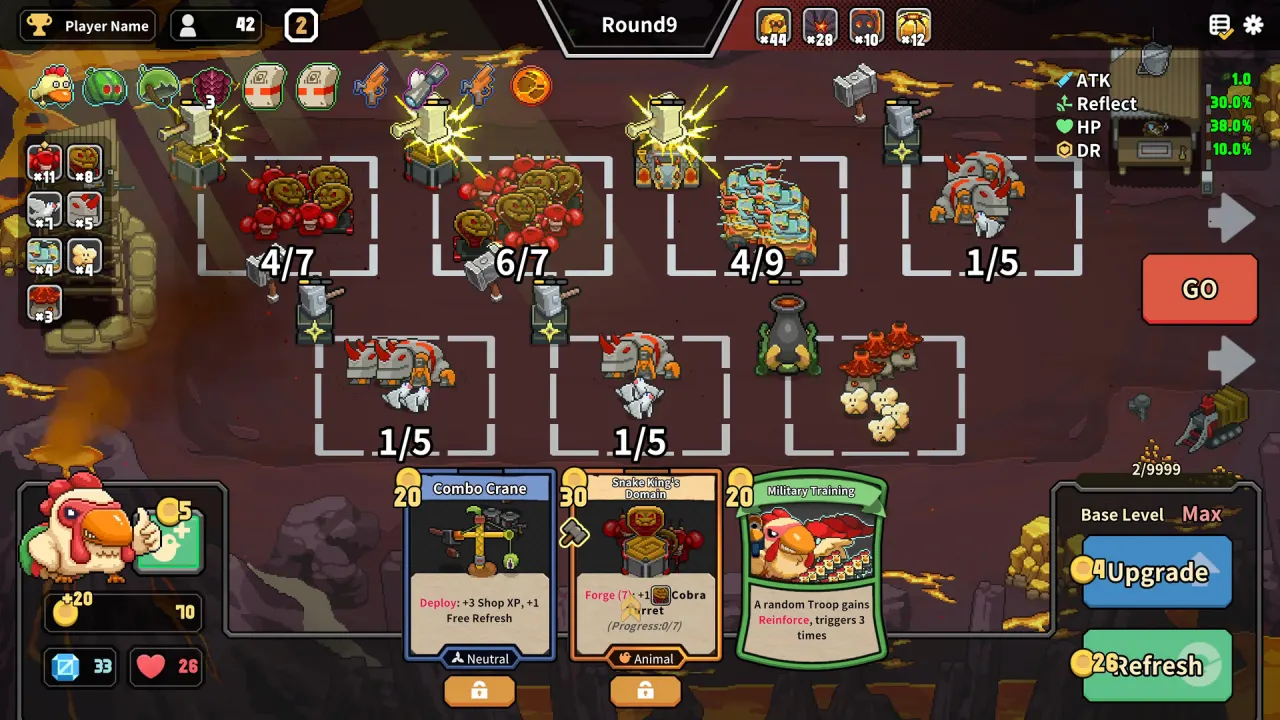
Screenshot: © Blacklight Games / Devolver Digital, via the official Steam page.
What happens in a battle?
After you press GO, your army fights the enemy automatically. Nothing in the screenshots shows manual unit control. The battle screen shows:
- A timer at the top center (values such as 75, 87 and 90 appear in different screenshots)
- A health bar for each side at the top, with small unit-count chips under each
- A stage label such as 10-1 or 11-1 in the bottom-right corner
- Your gold, crystals and hearts in the bottom-left corner
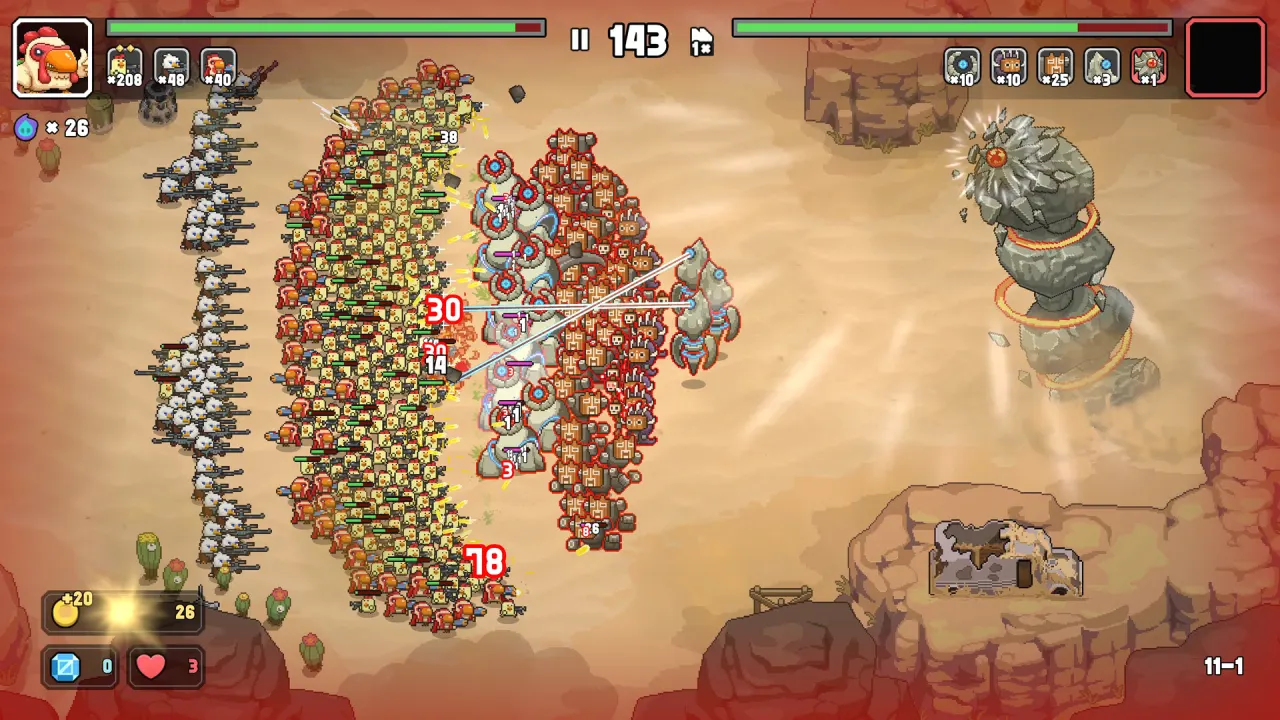
Screenshot: © Blacklight Games / Devolver Digital, via the official Steam page.
What are Flight and Fight?
One screenshot shows a prompt over a desert battle. A speech bubble asks “One more wave?” Beside it are a blue Flight button with a left arrow and a red Fight button with a right arrow. A row of coin icons and a row of crystal icons appear beside the Fight button.
The Steam description says you can “sacrifice or preserve your troops strategically to maximize income from every encounter.” We believe the prompt is part of that risk-and-reward choice, but we have not confirmed what Flight and Fight do or what the icon rows count. We will update this page when we can.
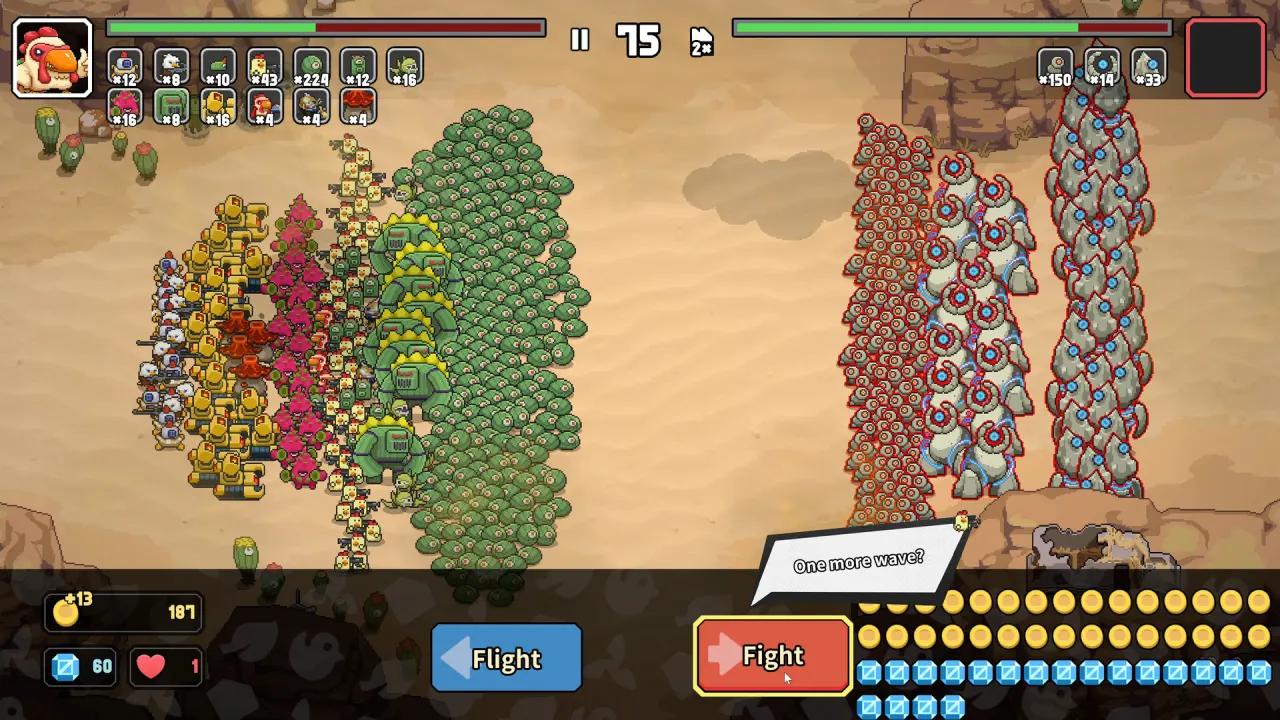
Screenshot: © Blacklight Games / Devolver Digital, via the official Steam page.
What do Boss Curses do?
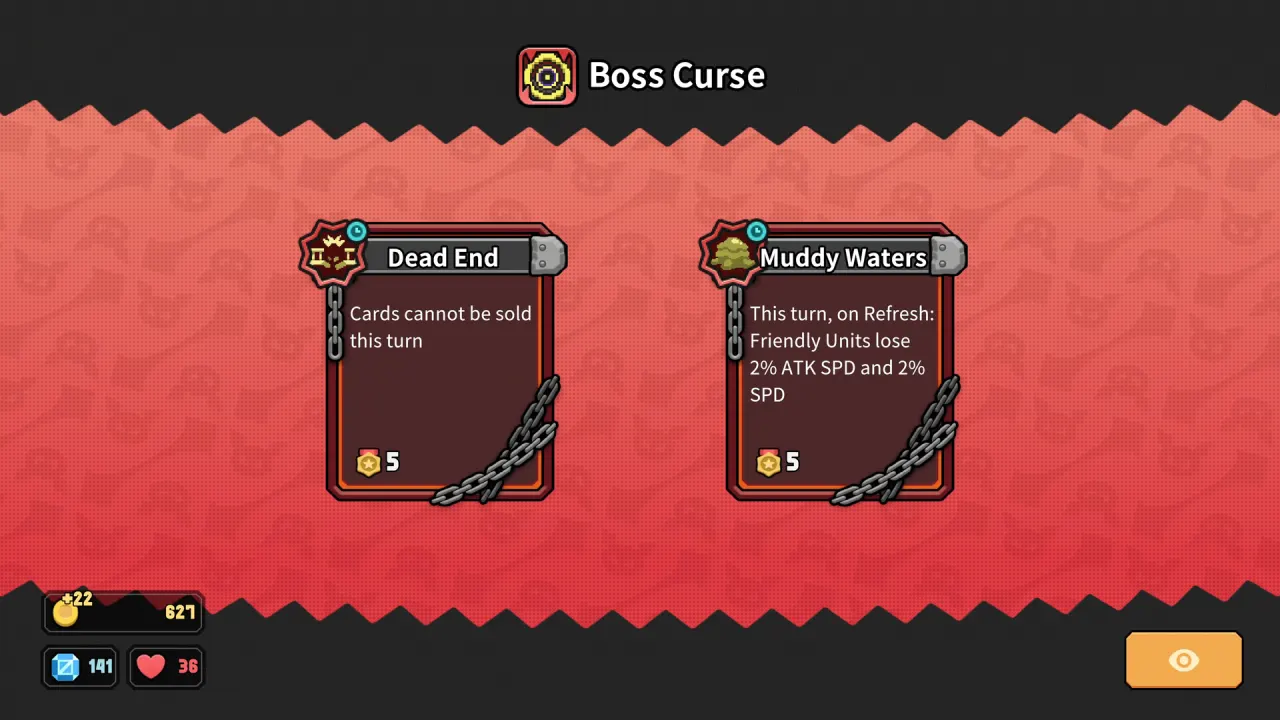
A screen titled Boss Curse shows curse cards before a boss fight. Two were visible:
| Curse | Rule text on screen |
|---|---|
| Dead End | “Cards cannot be sold this turn” |
| Muddy Waters | “This turn, on Refresh: Friendly Units lose 2% ATK SPD and 2% SPD” |
Each card shows a medal icon with the number 5. At higher difficulty levels the Set Out screen says “Bosses gain Curses; collect Medals”, which may be related. See the Arid Wastes and difficulty guide.
Screenshot: © Blacklight Games / Devolver Digital, via the official Steam page.
What are the gold, crystal and heart counters?
Three counters sit in the bottom-left corner on both the shop and battle screens:
- A coin counter, with a plus figure beside it in the shop screens
- A blue crystal counter
- A red heart counter
The same blue crystal icon appears in the town menus, where it is the currency for hats and upgrades. See the meta-progression guide. We have not confirmed what the heart counter means or how a run is lost.
Sources and verification
- Steam store page for All Army Attack
- Steam Community hub
- Screen details are read from the official Steam screenshots.
Last verified: November 15, 2026.
This is an unofficial fan wiki and is not affiliated with Blacklight Games or Devolver Digital.